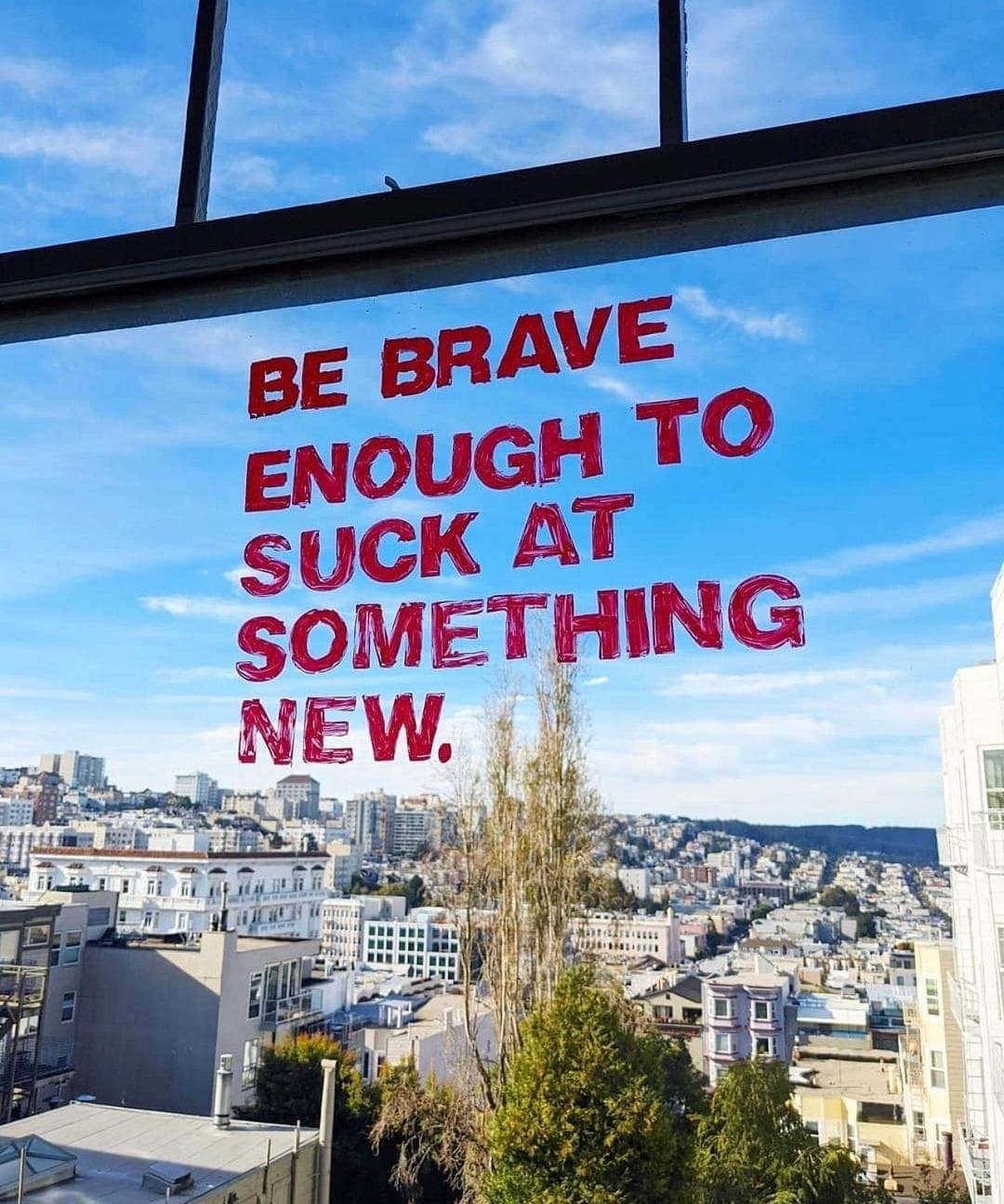
Category: beginning

  • the benefits of sucking at something

    the benefits of sucking at something

    In today’s the NYTimes, I found a thought-provoking article:
    (It’s Great to) Suck at Something

    “Maybe sucking at something where the stakes are low [emphasis mine] can lead us to a better place. Maybe it could be a kind of a medicine for the epidemic cocksureness in our culture. Seeing ourselves repeatedly doing something we suck at — no matter how trivial — might make us a bit more sympathetic to how hard so many things really are: trying to navigate health issues, listening to our neighbors, improving the economy or mitigating relations with hostile nations.

    By exposing ourselves to the experience of trying and failing we might develop more empathy. If we succeed in shifting from snap judgments to patience, maybe we could be a little more helpful to one another — and a whole lot more understanding.”

    I’m trying to develop that kind of patience with myself, first by acknowledging that I am a beginner (or recent returnee) in lots of things. And then by setting myself up on a path to get better at the things that are important. And when I’m really honest with myself, some of the things I suck at are really important things. And that scares me. And it brings up shame. Still, it’s good to know that I (currently) suck at things. It’s a good stretch for my perfectionist self to be able to say that. Or something like that. “What I’m working on right now is [complete this sentence appropriately]”

    There are different kinds of sucking, with hugely different consequences.
    Sucking at something that is actually important to your existence, like keeping yourself healthy, or doing the work you get paid to do in a smooth and efficient way, is bad. That’s something to work on changing. Sucking at it is okay for a little while, but you can’t stay there. You have to get to not sucking, and then to competence, and maybe even all the way to mastery.

    Sucking at something that is (just) something you’re wanting to do, like the surfing in the article, is different. That kind of sucking is an opportunity for growth in patience and willingness to stay in the moment, to persist, and to savor and celebrate the successes you manage. It’s an opportunity to admire others, and to learn to appreciate the small, intermediate, not-so-amazing accomplishments you pull off. And in sticking with that suckiness, we gain empathy — with ourselves and with others. Like she said.

    Note: This was originally drafted in 2017, when the quoted article appeared. And it languished, as a draft, until 2021, when I remembered I had written something about sucking that would probably benefit from that window image that I found in my Instagram feed, without any attribution. And I found it in the drafts, unpublished for more than four years. And so my long-dark draft sees the dim light of day as a published post.

  • Well this is meta …

    I wanted to define a continuum of blog posts, so I could work things up gradually. What are the basic elements that have to be present for a set of drafty bits to become a real post? What are the extras that make a post really effective?

    So in the spirit of learning the sketching tool GoodNotes5, I set out to make a diagram of a blog post, with the minimal elements and my typical extras.

    a diagram including the elements of a blog post.
    The heart of a blog post includes a title, some text, and at least one image.
    Tags are good, and references, citations, and follow-up questions are useful.
    I also want to include lessons I learn about the tools I use to create the post.

    I thought it was going to be more complicated than that, but it’s not. This is very helpful to me as I populate this site with individual posts during July, gradually liberating ideas from my notebooks, Blackboard, and file folders. I can start a draft with any one or two of the basic elements, and publish it (privately maybe) when there are three. (This one has all three, now that I’ve written the text. Yay. )

    line drawing of a signpost

    And tags will facilitate creating some larger structures as they emerge. That’s work for later. Right now, I’m just populating this with a lot of basically free-standing posts.

    But of course I can always add the other parts, too.
    And I shall.
    Those will be on the second “page” of each post.

    Pages: 1 2

  • Getting back to blogging …

     … or trying to

    So here I am, at the beginning of a summer term, thinking that this is the time I will finally make my blog into a useful thing, and this is my first hour of working on it, and … I get stumped.

    I don’t actually want to start writing, or posting, or anything. Dang it!

    So I try to figure out what’s holding me up, and I ask myself why I want to blog at all? And I find there are three reasons.

    1. Mostly, and primarily, I want a searchable, accessible, indexable, taggable, categorizable place for stuff I write (or draw) while I am figuring things out, so that I can refer to that stuff later, as I figure out more. Basically, this reason is all about me, and it’s all about things that are in draft form, stuff that is incubating, developing — stuff that is still raw, not really ready for public viewing. But it’s more polished than what I initially write in my notebooks. So I need to figure out how to make it okay for that just-beyond-raw material to be on the blog. Maybe I use drafts, or change the privacy on these posts, or create a private/WiP/journal/draft/incubating type of post/area.
      [I don’t even know what to call what I’m trying to do here.]
      Or maybe I just need to realize that I’m the only person reading / using this blog, and live with that.  I’m documenting this material for futureMe. That’s a perfectly fine reason for blogging.  It’s a personal repository

      This post is an example of this reason for blogging. 


    2. Somewhat and secondarily, I want a place to put finished polished material that I would like to share easily with others, at any time. This is especially the case for collected information, or great truths, or lessons I like to provide whenever the need arises.

      All the material developed for #JREclipse is an example of this reason for blogging. Even after the event, that collection is worth saving and revisiting as a good guide to enjoying the area. It could morph into a local guidebook quite easily.


    3. Finally, blogging is practice using WordPress, which means a shared experience with SC, another aspect of general geekitude I can claim, and an area of personal learning.

    unresolved issues:

    • at the top, I really wanted something like a subheading, but I couldn’t figure out how to do that. The type of block at the top doesn’t seem to actually be editable/controllable, although the code inspector shows that it’s an <h2> (I wonder how that will render — it rendered correctly.)  Changing out of Gutenberg allowed me to add an <h4> as the first part of the post, but I probably could have done that with Gutenberg after I found the different block types.  Still doesn’t look the way I intended it to.


    • I (think I) put extra space between the list elements, since they each have multiple paragraphs, but those extra spaces seem to get stripped by the theme, because they do appear in the editor. I think that’s something about the box model, or maybe it’s the after attribute? Need to review that part of CSS. Still don’t know how to customize little things like that.


    • Illustrations improve posts. Maybe I need something like a workflow diagram? I know I’ve drawn that multiple times.

    resolved issues

    • in the preview, using the theme twenty-fifteen, the lists above were not indented properly, though it seemed correct here in the editing space. (Is that Gutenberg? I believe it is, and I’m turning that into an option.) hmmmm. Maybe the theme was screwing it up. I think I’ll just preview a different theme to see if that fixes it. YUP! So I changed to the theme twenty-nineteen. The big learning here is remembering how to use the code inspector in the browser to see what’s actually happening. In this theme’s css, there is no entry for the padding-left attribute. In the other one padding-left was set to 0px. The big question that remains is how to actually find the styles.css file that’s being used, and how to edit it in the child theme. But that’s another learning session.


    • I really did want a horizontal rule above the unresolved issues label, but I couldn’t figure out how to get that here. Adding a few dashes doesn’t really do the job. But learning about the separator block-type in Gutenberg does!